


Nap
Nap without opening the door
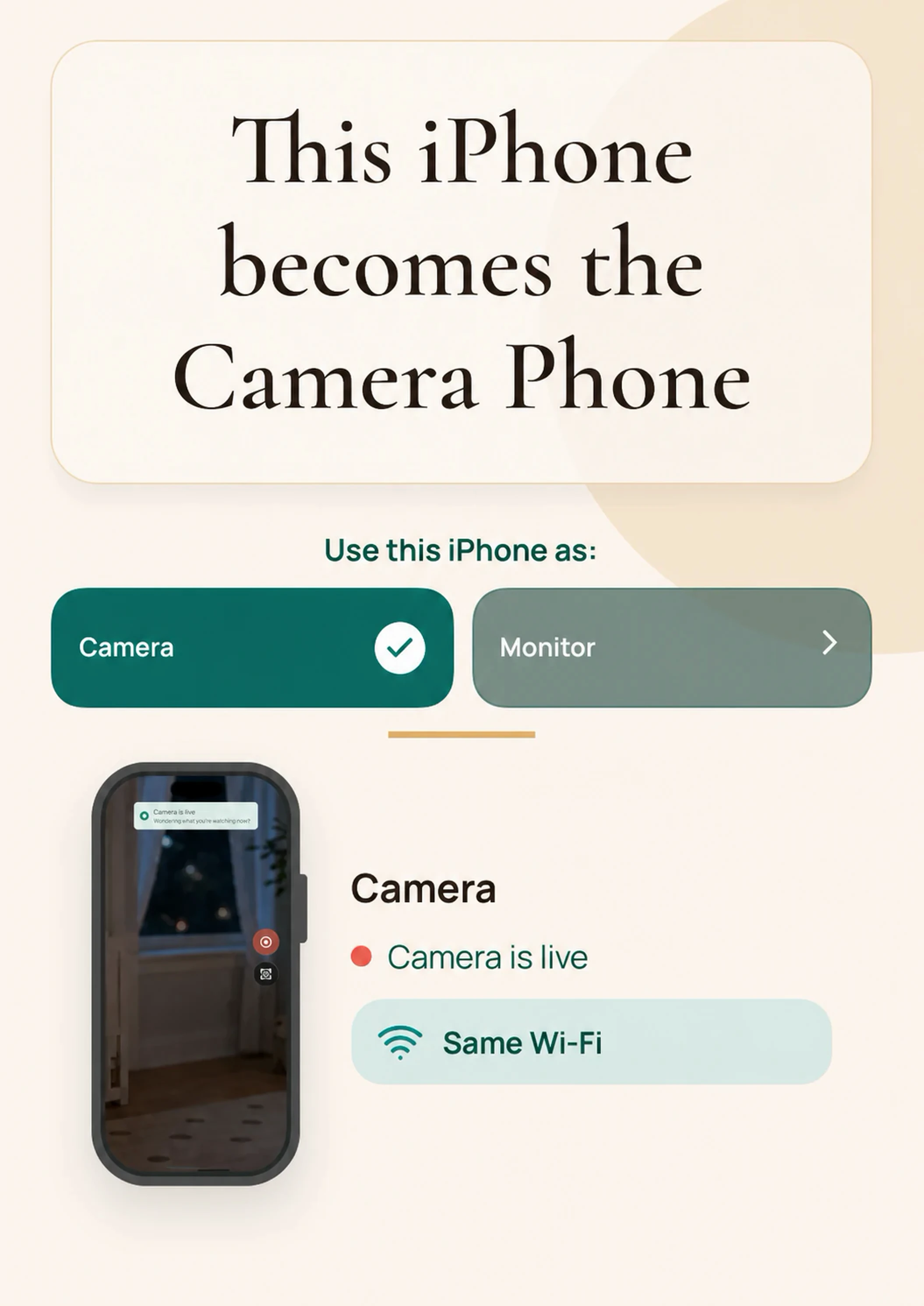
Leave an iPhone in the room and check the live view from another screen nearby.

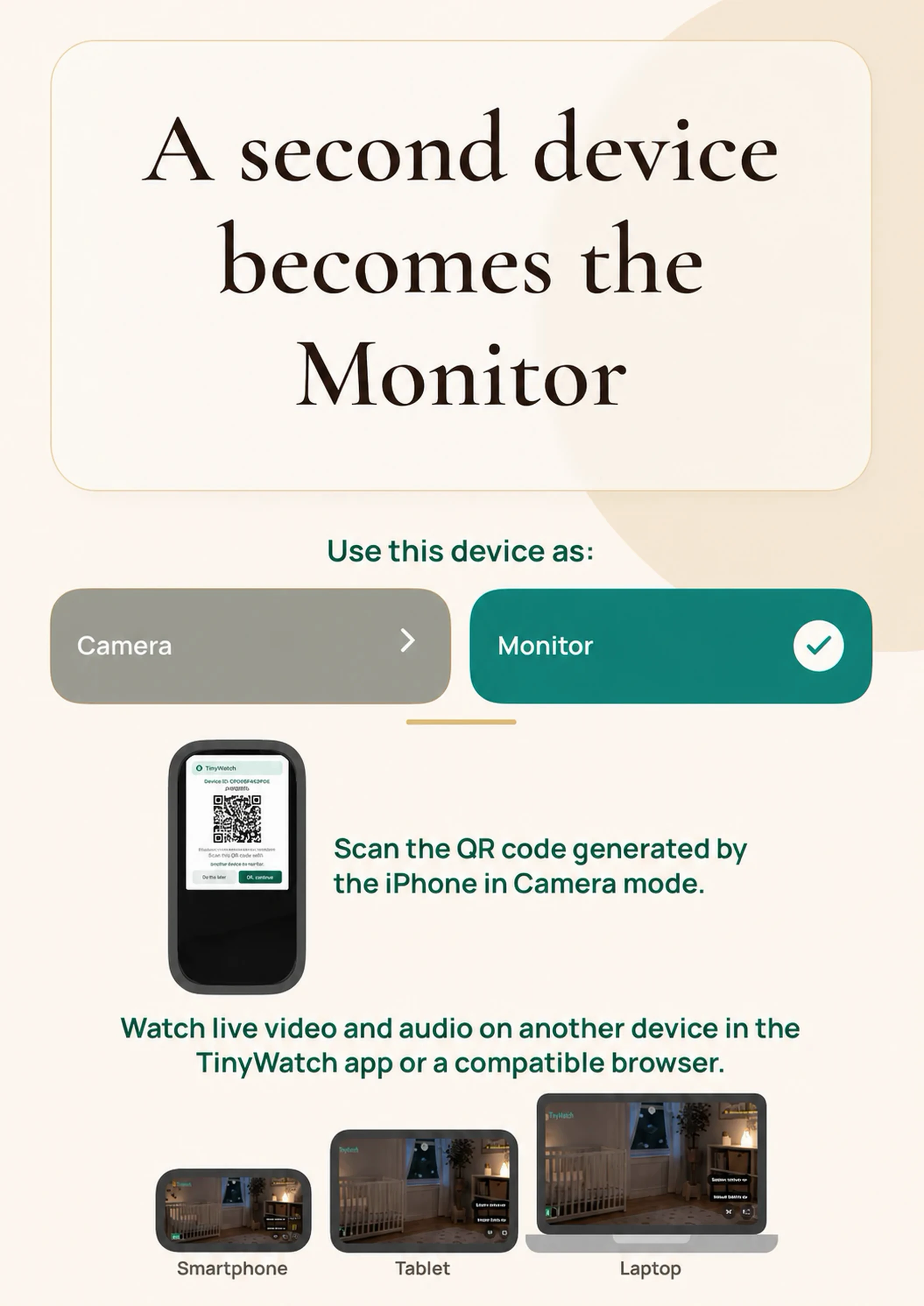
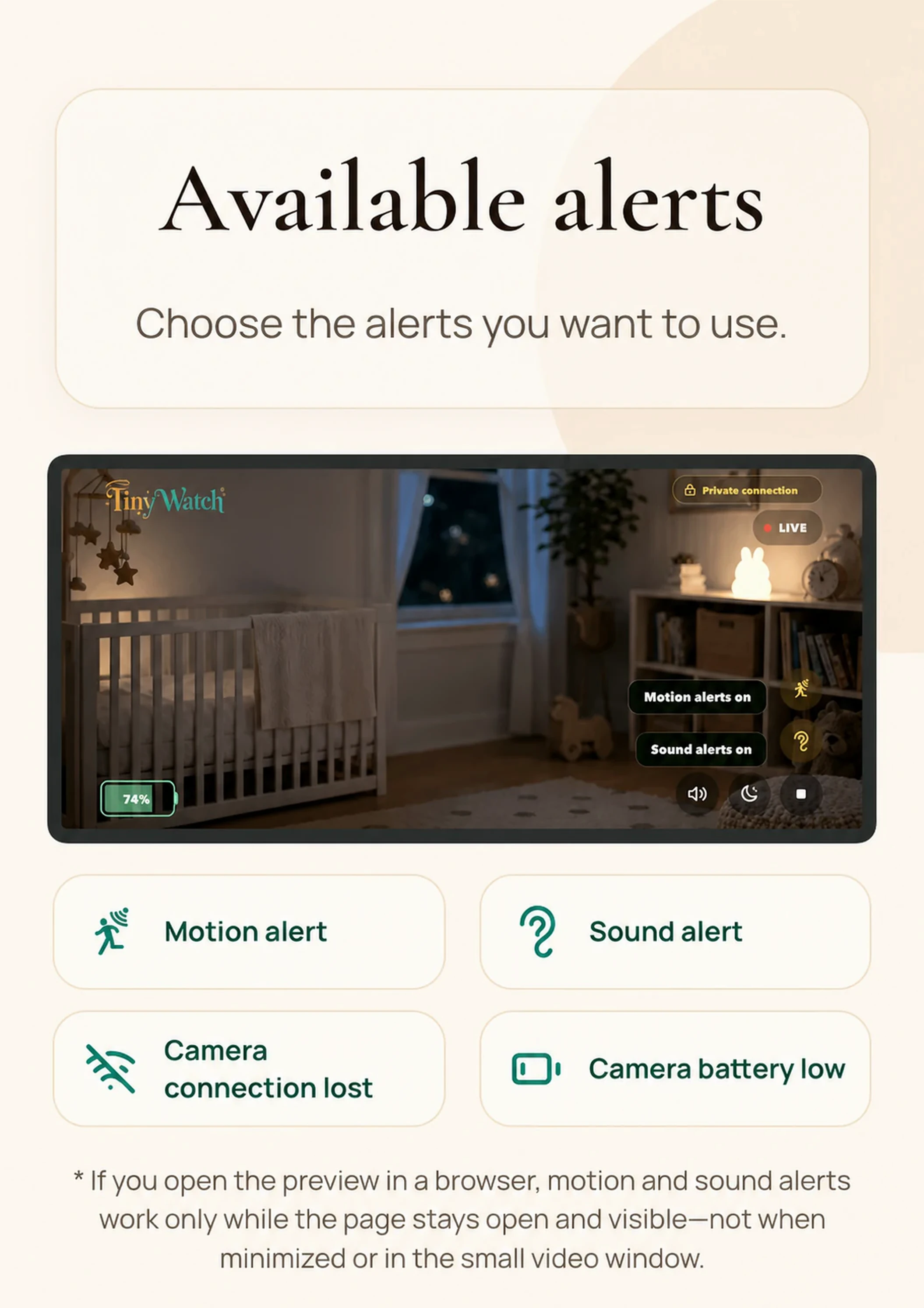
Leave your iPhone in the room, then open the live view on another phone, tablet, or computer — in the TinyWatch app or a compatible browser.
Leave an iPhone in the room and check the live view from another screen nearby.

Keep an eye on a toddler or play area from the kitchen, sofa or desk.

Set up a temporary monitor where both devices can communicate on the same suitable Wi-Fi network.
Private by design
TinyWatch is built for nearby same-Wi-Fi monitoring. The Camera Phone stays in the room, and you open the live view in the TinyWatch app or a compatible browser on another device connected to the same local network.
Pair without creating a login.
TinyWatch does not store room video in TinyWatch cloud storage.
TinyWatch does not relay room video through TinyWatch cloud video servers.
Use it at home, when visiting family, or while travelling — you only need your own Wi-Fi network.
No. Install TinyWatch on the iPhone that stays in the room. Your monitor can be another device with the app, or a compatible browser opened from the QR link on the same Wi-Fi.
Yes. Open the QR link in the TinyWatch iOS app or a compatible browser on a phone, tablet, laptop, or computer connected to the same Wi-Fi.
Those apps are made for video calls. TinyWatch is made for private room monitoring at home: the room video stays on your own Wi-Fi, is not sent to TinyWatch cloud video servers, and does not require a TinyWatch cloud account. It is for parents who want to deliberately limit where their child’s video goes.
It can be useful for nearby check-ins at family homes and short stays. Test the exact devices and network first, because guest and hotel Wi-Fi may isolate connected devices.
No. Use it for baby naps, toddlers, playrooms, family visits and travel stays when adults are nearby and want an easier way to check the room.
No. For more private nearby monitoring, TinyWatch does not use TinyWatch cloud video storage or TinyWatch cloud video streaming. It works on the same Wi-Fi, without a TinyWatch cloud account.
No. TinyWatch helps responsible adults with nearby check-ins. It is not a medical device, emergency service, security system or substitute for direct adult supervision. Keep doing physical checks and place phones, chargers, cables and mounts safely out of children’s reach.
No. Install TinyWatch on the iPhone that stays in the room. Your monitor can be another device with the app, or a compatible browser opened from the QR link on the same Wi-Fi.
Yes. Open the QR link in the TinyWatch iOS app or a compatible browser on a phone, tablet, laptop, or computer connected to the same Wi-Fi.
Those apps are made for video calls. TinyWatch is made for private room monitoring at home: the room video stays on your own Wi-Fi, is not sent to TinyWatch cloud video servers, and does not require a TinyWatch cloud account. It is for parents who want to deliberately limit where their child’s video goes.
It can be useful for nearby check-ins at family homes and short stays. Test the exact devices and network first, because guest and hotel Wi-Fi may isolate connected devices.
No. Use it for baby naps, toddlers, playrooms, family visits and travel stays when adults are nearby and want an easier way to check the room.
No. For more private nearby monitoring, TinyWatch does not use TinyWatch cloud video storage or TinyWatch cloud video streaming. It works on the same Wi-Fi, without a TinyWatch cloud account.
No. TinyWatch helps responsible adults with nearby check-ins. It is not a medical device, emergency service, security system or substitute for direct adult supervision. Keep doing physical checks and place phones, chargers, cables and mounts safely out of children’s reach.
Turn your iPhone into a simple baby monitor that works on your home Wi-Fi.
